Linux test Command: Check Files and Values
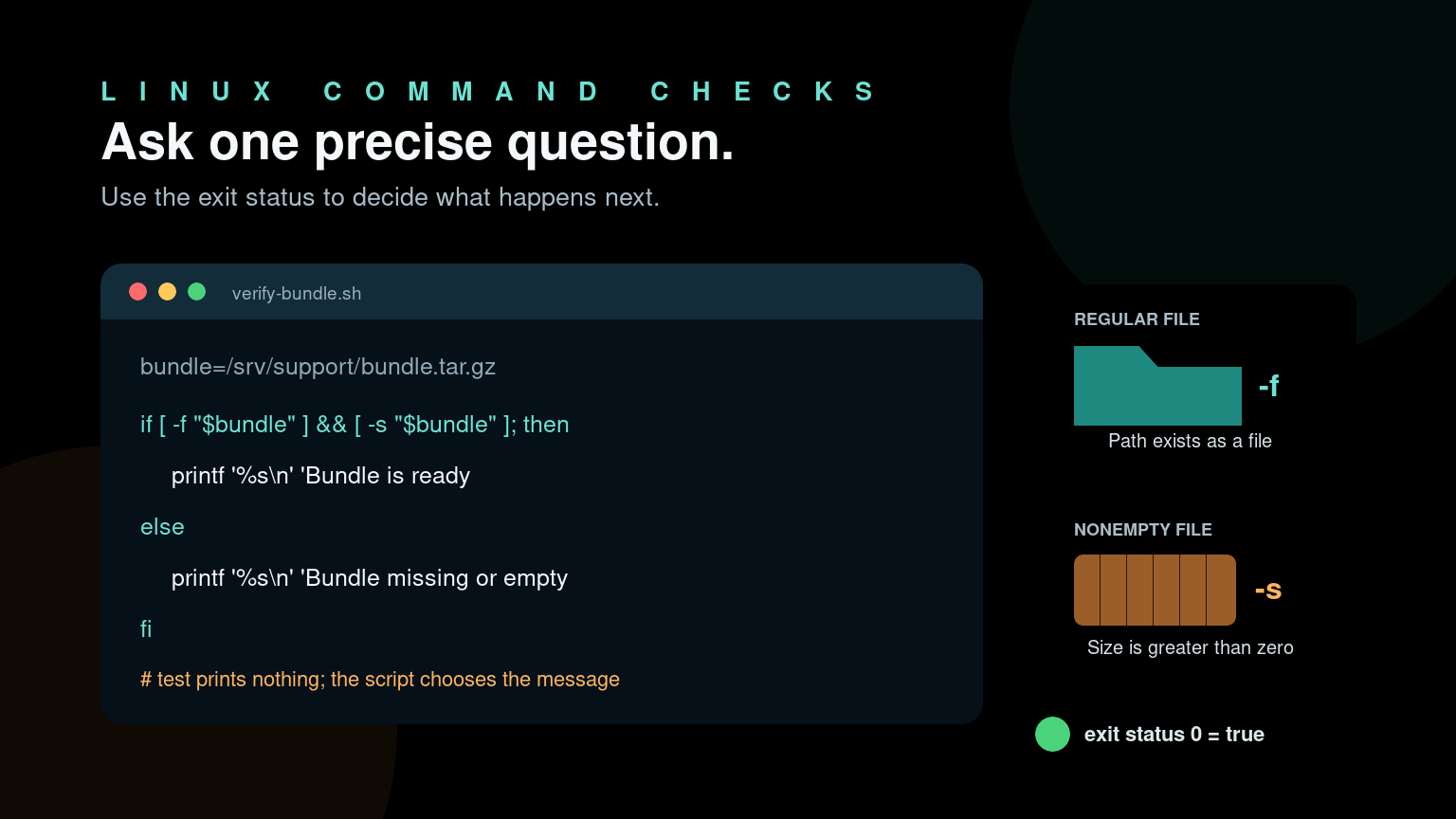
The Linux test command checks whether a condition is true or false. It is commonly used in Bash scripts to ask questions such as:
test -f /etc/ssh/sshd_configThat command asks, “Does this path exist as a regular file?” It prints nothing. Instead, it returns an exit status: 0 means true, while a nonzero status means false.
You will often see the same check written with square brackets:
[ -f /etc/ssh/sshd_config ]In Bash, [ is another form of the test command. The spaces inside the brackets are required. This tiny command becomes useful when you need a script to verify a backup, check a configuration file, compare a response value, or stop before it does something risky.
Quick Linux test command reference
| What to check | Example |
|---|---|
| Path is a regular file | [ -f /path/to/file ] |
| Path is a directory | [ -d /path/to/directory ] |
| Path exists | [ -e /path ] |
| File is readable | [ -r /path/to/file ] |
| File is writable | [ -w /path/to/file ] |
| File has content | [ -s /path/to/file ] |
| String is not empty | [ -n "$value" ] |
| String is empty | [ -z "$value" ] |
| Strings are equal | [ "$actual" = "$expected" ] |
| Numbers are equal | [ "$count" -eq 3 ] |
| First number is greater | [ "$used" -gt "$limit" ] |
| Invert a result | [ ! -f /path/to/file ] |
For beginner scripts, quote variable expansions, use one clear check at a time, and choose file tests that match what you really care about. “The path exists” and “the file is readable and nonempty” are not the same thing.
Understand the exit status
Run a test, then inspect $?, which contains the previous command’s exit status:
test -d /etc
echo $?
The result should be 0 because /etc is a directory. Now try a path that probably does not exist:
test -d /definitely-not-a-real-directory
echo $?
That should return 1, meaning the condition was false.
This is why test usually appears inside an if statement instead of by itself:
if test -f /etc/ssh/sshd_config; then
  echo "SSH configuration found"
else
  echo "SSH configuration not found"
fi
The bracket form does the same job:
if [ -f /etc/ssh/sshd_config ]; then
  echo "SSH configuration found"
else
  echo "SSH configuration not found"
fi
Use whichever is easier for your team to read. Brackets are more common in shell scripts, but remembering that [ is a command explains several otherwise confusing syntax errors.
Check files and directories
File checks are where test earns its place in help desk and beginner sysadmin scripts.
Check whether a regular file exists
if [ -f /var/log/nginx/error.log ]; then
  echo "Nginx error log found"
fi
-f is true only when the path exists and is a regular file. A directory at that path does not pass.
Check whether a directory exists
if [ -d /var/backups/helpdesk ]; then
  echo "Backup directory found"
else
  echo "Backup directory missing"
fi
A common practical pattern creates the directory when it is missing:
backup_dir=/var/backups/helpdesk

if [ ! -d "$backup_dir" ]; then
  mkdir -p "$backup_dir"
fi
Do not add sudo automatically just to make this succeed. Decide who should own the directory and where the script is supposed to run first.
Check whether a file is nonempty
A zero-byte backup may technically exist while still being useless. Use -s when content matters:
backup=/srv/backups/users.csv

if [ -s "$backup" ]; then
  echo "Backup exists and is not empty"
else
  echo "Backup is missing or empty"
fi
For a real backup workflow, this should be one check among several. You may also need to validate the file format, timestamp, checksum, or restore process.
Check access permissions
config=/etc/example-app/config.ini

if [ -r "$config" ]; then
  echo "Current user can read the config"
else
  echo "Current user cannot read the config"
fi-r, -w, and -x check access for the user running the command. They do not explain why access was allowed or denied. Use ls -l, namei -l, ACL tools, and the effective user context when troubleshooting permissions.
For more background, read Linux file permissions explained and the Linux chown command guide.
Test strings safely
String checks often validate command output, environment variables, or script arguments.
Check for an empty value
server_name=${1:-}

if [ -z "$server_name" ]; then
  echo "Usage: $0 SERVER_NAME"
  exit 2
fi
-z means the string has zero length. ${1:-} safely expands to an empty string when the first argument is missing, which also behaves well in scripts using set -u.
Check for a nonempty value
if [ -n "$server_name" ]; then
  echo "Checking $server_name"
fi
Always quote variables in single-bracket tests:
[ -n "$server_name" ]Without quotes, an empty value can change the number of arguments passed to test. Values containing spaces or wildcard characters can cause even stranger results. Quoting turns the value into one predictable argument.
Compare strings
service_state=$(systemctl is-active nginx 2>/dev/null || true)

if [ "$service_state" = "active" ]; then
  echo "Nginx is active"
else
  echo "Nginx state: $service_state"
fi
Notice the single =. Inside portable single brackets, use = for string equality. Do not use numeric operators for words.
Also do not treat this one check as a complete health test. A service can be active while returning errors to users. Follow up with logs and an application-level check such as curl when appropriate.
Compare numbers
Single-bracket tests use operators such as -eq, -ne, -lt, -le, -gt, and -ge for integer comparisons:
failed_checks=3

if [ "$failed_checks" -gt 0 ]; then
  echo "$failed_checks checks failed"
fi
The common operators are:
| Operator | Meaning |
|---|---|
-eq | Equal |
-ne | Not equal |
-lt | Less than |
-le | Less than or equal |
-gt | Greater than |
-ge | Greater than or equal |
Do not write this inside single brackets:
[ "$failed_checks" > 0 ]The shell may interpret > as output redirection rather than a numeric comparison. That can create a file named 0, which is a particularly unhelpful side quest during a ticket. Use -gt instead.
Validate that user input is actually an integer before comparing it. test will report an error such as integer expression expected when handed unexpected text.
Combine test with && and ||
For short checks, shell control operators can be clearer than a full if block:
[ -f /etc/nginx/nginx.conf ] && echo "Config found"The command after && runs only when the test succeeds.
[ -d /srv/backups ] || echo "Backup directory missing"The command after || runs only when the test fails.
Keep this style for simple actions. Once you are combining multiple conditions, logging errors, or changing the system, an if block is easier to review and debug.
Be especially careful with chains such as:
[ -f "$config" ] && validate_config || restart_serviceThat does not mean “restart only if the file is absent.” It can also run restart_service when validate_config fails. Clever one-liners tend to become confusing at exactly the moment a production service is already down.
[ versus [[ in Bash
You may also see double brackets:
if [[ -f $config && $environment == production ]]; then
  echo "Production config found"
fi
[[ ... ]] is Bash conditional syntax, not the portable test command. It has safer variable handling and supports features such as pattern matching and && inside the expression.
Use [[ ... ]] when the script explicitly runs with Bash and your team expects Bash syntax. Use [ ... ] when you need a simple portable check in a script intended for /bin/sh.
Do not mix the rules casually. For example, wildcard pattern matching behaves differently between the two forms. Add the correct shebang and run a static checker such as ShellCheck when scripts matter.
Real help desk example: verify a support bundle
Suppose a collection script should produce a compressed support bundle before it is uploaded to a ticket. You want to catch missing arguments, missing files, and empty output:
#!/usr/bin/env bash

bundle=${1:-}

if [ -z "$bundle" ]; then
  echo "Usage: $0 SUPPORT_BUNDLE" >&2
  exit 2
fi

if [ ! -f "$bundle" ]; then
  echo "Bundle not found: $bundle" >&2
  exit 1
fi

if [ ! -s "$bundle" ]; then
  echo "Bundle is empty: $bundle" >&2
  exit 1
fi

if [ ! -r "$bundle" ]; then
  echo "Bundle is not readable by $(id -un): $bundle" >&2
  exit 1
fi

printf 'Bundle ready: %s\n' "$bundle"
This script does not upload anything. It validates the local artifact and stops with a useful message. That makes it safer to test and easier to include in a larger workflow.
A reasonable next step could inspect the archive with tar -tf before transfer. See the Linux tar command guide for safe archive examples.
Common Linux test command mistakes
Forgetting spaces around brackets
Wrong:
if [-f "$config"]; then
  echo "found"
fi
Correct:
if [ -f "$config" ]; then
  echo "found"
fi
[ is a command. It needs separate arguments, including a final ] argument.
Using -e when you need -f
-e checks whether almost any kind of path exists. A directory, symbolic link, device, or other filesystem object may pass. Use -f when your next command requires a regular file, or -d when it requires a directory.
Assuming a successful test proves the service works
A present configuration file does not prove its syntax is valid. A running process does not prove the app responds. A nonempty backup does not prove it can be restored. Use test as one guard in a larger verification workflow.
Hiding errors without understanding them
Redirecting stderr can make expected probe failures quieter, but do not add 2>/dev/null to everything. Error output often tells you that the path was wrong, permissions changed, or a command is missing.
Practice the logic before using it at work
The useful part of test is not memorizing every operator. It is learning to turn a vague requirement into a specific check:
- Does this regular file exist?
- Can this service account read it?
- Did the command return the expected word?
- Is this artifact nonempty?
- Should the script stop before making a change?
Practice those checks in throwaway directories before putting them into login scripts, cron jobs, deployment hooks, or support tooling. You can build that command-line judgment in Shell Samurai, where a failed condition is practice instead of a ticket update explaining why the automation skipped every workstation.
FAQ
What does the Linux test command do?
It evaluates a condition about a file, string, or integer and returns an exit status. Status 0 means the condition is true; a nonzero status means false. It normally does not print an answer.
Is [ ... ] the same as test?
For basic shell conditions, yes. [ is a command form of test that requires a closing ] argument. Spaces after [ and before ] are required.
What is the difference between [ ... ] and [[ ... ]]?
[ ... ] is the traditional test command and works in portable shell scripts. [[ ... ]] is enhanced conditional syntax supported by Bash and some other shells. It offers safer parsing and features such as pattern matching, but it is not portable to every /bin/sh.
Why does zero mean true?
Unix commands use exit status 0 for success. A true condition means the test succeeded, so it returns 0. False conditions use a nonzero status.
How do I check whether a file exists and is not empty?
Use -s:
if [ -s /path/to/file ]; then
  echo "File exists and has content"
fi
If you specifically require a regular file, you can check both -f and -s in a clear if condition.
Practice This in a Real Terminal
Shell Samurai gives you safe Linux missions so the commands actually stick. Chapter 1 is free; the full practice path is a one-time purchase, not another subscription.