Linux lspci Command: List PCI Devices
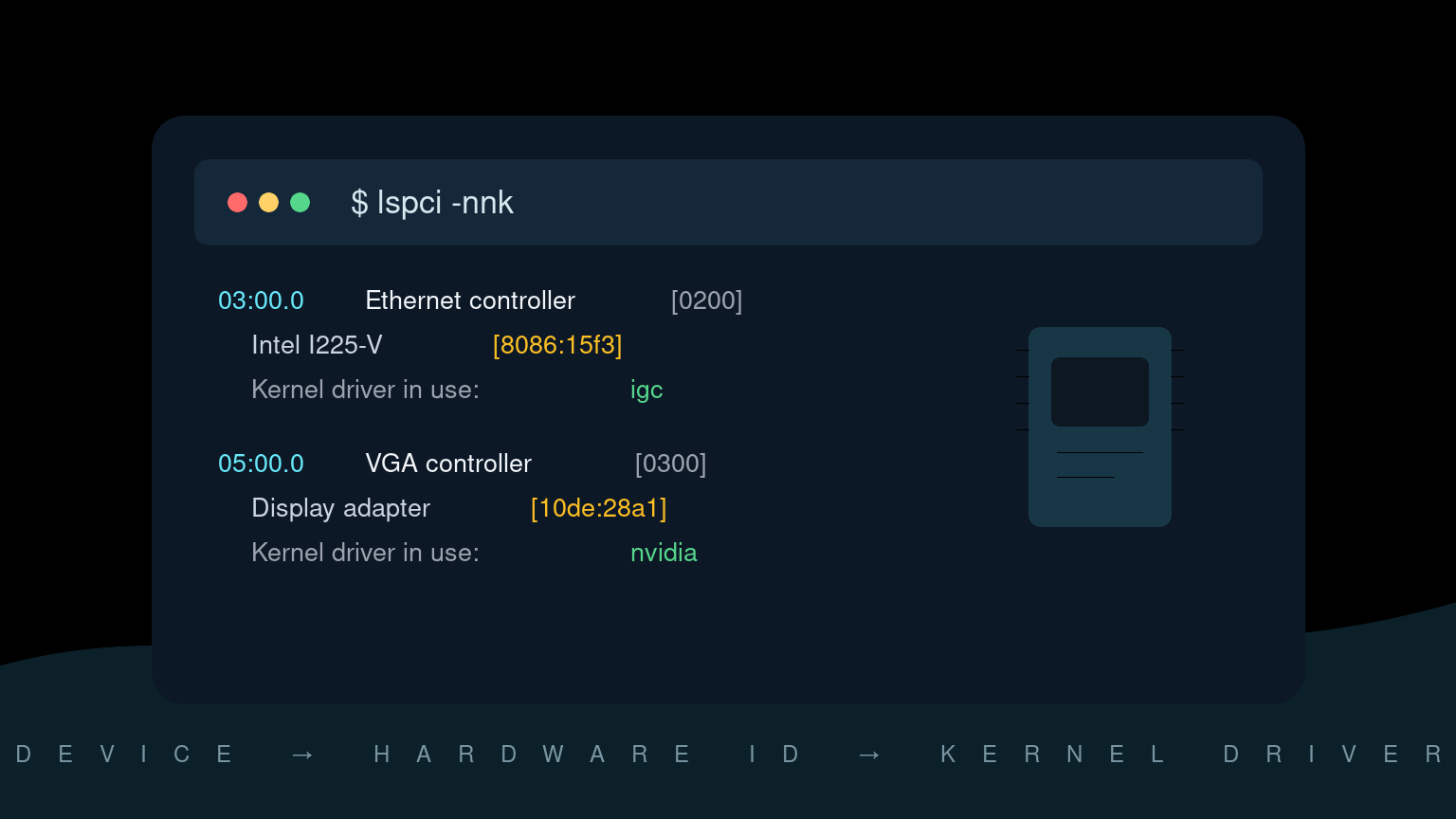
The Linux lspci command lists devices connected through the system’s PCI buses. It is a fast way to identify graphics adapters, network controllers, storage controllers, audio devices, USB controllers, and other internal hardware.
Start with:
lspciFor helpdesk work, the most useful follow-up is usually:
lspci -nnkThat adds numeric vendor/device IDs and shows the kernel driver associated with each device. In Windows terms, it is a little like opening Device Manager and checking Hardware IDs plus the active driver—but from one terminal command.
Quick lspci command reference
| Goal | Command |
|---|---|
| List PCI devices | lspci |
| Include vendor and device IDs | lspci -nn |
| Show kernel drivers and modules | lspci -k |
| Combine IDs and driver details | lspci -nnk |
| Show more detail | lspci -v |
| Inspect one device by address | lspci -s 03:00.0 -nnk |
| Filter by vendor and device ID | lspci -d 8086:15f3 |
| Show the PCI bus tree | lspci -t |
| Produce machine-readable output | lspci -mm |
Run plain lspci first. The output gives you a map, and then you can inspect the suspicious device instead of dumping several screens into a ticket.
Read a basic lspci line
A typical line looks like this:
03:00.0 Ethernet controller: Intel Corporation Ethernet Controller I225-V (rev 03)The fields mean:
03:00.0is the PCI address: bus03, device00, function0;Ethernet controlleris the device class;Intel Corporationis the vendor name;Ethernet Controller I225-Vis the identified device;rev 03is the device revision.
The PCI address matters because it lets you target one device with -s. It can change when hardware moves between slots or firmware configuration changes, so do not treat it as a permanent asset identifier.
Include numeric hardware IDs with -nn
Names are friendly, but numeric IDs are better when you need an exact match:
lspci -nnExample:
03:00.0 Ethernet controller [0200]: Intel Corporation Ethernet Controller I225-V [8086:15f3] (rev 03)The important brackets are:
[0200]: PCI class code for an Ethernet controller;[8086:15f3]: vendor ID8086and device ID15f3.
Those IDs are useful when:
- a device name is missing or generic;
- you need to check kernel or vendor documentation;
- several similar hardware revisions use different drivers;
- a support case needs an exact model rather than “Intel network card.”
Search documentation using the complete vendor:device pair. Searching only 8086 will return roughly everything Intel has ever attached to a PCI bus, which is not a small list.
Check which kernel driver is in use
Use -k to show driver information:
lspci -kOr combine it with numeric IDs:
lspci -nnkA device block may look like this:
03:00.0 Ethernet controller [0200]: Intel Corporation Ethernet Controller I225-V [8086:15f3] (rev 03)
        Subsystem: ASUSTeK Computer Inc. Device [1043:87d2]
        Kernel driver in use: igc
        Kernel modules: igc
Kernel driver in use is the driver currently bound to the device. Kernel modules lists modules that may support it. Those lines are related, but they are not interchangeable: a module can be available without being the driver currently in use.
If the device appears in lspci but has no Kernel driver in use line, Linux can see the PCI device but may not have a driver bound to it. That narrows the investigation; it does not automatically prove the driver is missing.
Inspect one PCI device
Once you know the address, focus on it:
lspci -s 03:00.0 -nnkAdd verbose output when you need more detail:
lspci -s 03:00.0 -vvVerbose output can include capabilities, memory regions, interrupt details, link speed, and link width. Some fields may require elevated privileges to read fully:
sudo lspci -s 03:00.0 -vvDo not start with sudo. First collect the normal output, then elevate only if the missing detail is relevant and your support procedure allows it.
Find graphics, network, and storage controllers
You can filter the human-readable output with grep:
lspci | grep -Ei 'vga|3d|display'
lspci | grep -Ei 'ethernet|network'
lspci | grep -Ei 'sata|raid|non-volatile memory'
These filters are convenient for interactive troubleshooting. Scripts should prefer stable numeric class/vendor/device data or parse machine-readable output rather than depending on English labels.
For example, lspci -mm formats each record into quoted fields:
lspci -mmCheck man lspci on the target distribution before building production automation around an output mode.
View the PCI bus tree
Use -t to see how devices connect through bridges:
lspci -tThis can help when several devices disappear together. A failed upstream bridge, docking-station path, firmware setting, or virtual PCI topology may affect everything beneath one branch.
The tree view shows relationships, not health. Pair it with the normal listing, driver data, and kernel logs.
A practical helpdesk workflow
Imagine a Linux workstation lost wired networking after an OS update. The cable and switch port are good, but the network interface no longer appears in the desktop settings.
1. Confirm Linux can see the hardware
lspci -nn | grep -Ei 'ethernet|network'If the controller appears, the PCI bus can see it. If it does not, check firmware settings, physical hardware, docking paths, VM device assignment, and kernel messages before assuming this is only a network configuration problem.
2. Check the bound driver
lspci -nnk -s 03:00.0Replace 03:00.0 with the address from your output. Record the hardware ID and Kernel driver in use line.
3. Check related kernel messages
dmesg | grep -Ei 'igc|03:00.0|ethernet|firmware'Your driver name and PCI address make better filters than a broad search for error. The Linux dmesg guide explains how to read hardware and driver messages without treating every warning as the root cause.
On systems where unprivileged kernel-log access is restricted, use the approved elevated workflow or journalctl -k if your account has access.
4. Check whether an interface exists
ip link showlspci proves the PCI device is visible. ip link tells you whether the networking stack has an interface for it. A controller can appear in the first command and still be absent from the second when driver or firmware initialization fails.
5. Write a useful ticket update
A solid note might say:
Intel
8086:15f3Ethernet controller appears at03:00.0. Driverigcis bound, butip linkdoes not show the expected interface. Kernel log reports firmware initialization errors after boot. Hardware detection is working; investigating driver/firmware initialization next.
That gives the next technician evidence and a boundary. “NIC broken” gives them a fresh start and an avoidable headache.
lspci versus lsusb, lscpu, and lsblk
These commands inspect different parts of the system:
lspcilists PCI devices such as internal network, graphics, storage, and controller hardware;lsusblists devices on USB buses;lscpusummarizes processor architecture and topology;lsblklists block devices such as disks and partitions;lshwbuilds a broader hardware inventory when installed.
A USB Ethernet adapter belongs in lsusb, not lspci. An NVMe controller commonly appears in lspci, while the resulting namespace appears as a block device in lsblk. Pick the command that matches the layer you are checking.
If lspci is not found
lspci is provided by the pciutils package on common Linux distributions.
Ubuntu or Debian:
sudo apt update
sudo apt install pciutils
Fedora, RHEL, or related systems:
sudo dnf install pciutilsUse your organization’s package-management process on managed systems. A missing command does not justify adding software to a production server without a change record.
Common beginner mistakes
Assuming detected means working
A line in lspci means the PCI bus sees a device. It does not prove that the correct driver is bound, firmware loaded, an interface was created, or the application can use it.
Searching by product name only
Marketing names and revision labels can be vague. Capture lspci -nn so you have the numeric vendor and device IDs.
Confusing available modules with the active driver
Kernel modules lists candidates. Kernel driver in use identifies the current binding.
Pasting the entire verbose dump
lspci -vv can be long. Target one address and include only the fields relevant to the case. Ticket systems already have enough scrollbars.
Forgetting virtual hardware
Inside a VM, lspci reports devices presented by the hypervisor. They may be emulated, paravirtualized, or passed through; they do not necessarily match the host’s physical PCI inventory.
Practice the investigation, not just the command
The value of lspci is the troubleshooting chain: identify the device, capture exact IDs, check the bound driver, read related kernel messages, and verify whether the operating system created the expected interface or block device.
Practice Linux hardware and troubleshooting commands in Shell Samurai. It gives you a safe terminal environment to build the habit before a real ticket has an outage timer attached.
FAQ
What does lspci show in Linux?
lspci shows devices connected to PCI buses, including many graphics, network, audio, storage-controller, and USB-controller devices. It also reports PCI addresses and device classes.
How do I show hardware IDs with lspci?
Run lspci -nn. The output includes numeric class IDs and vendor/device IDs such as [8086:15f3] while keeping readable names.
How do I see the driver for a PCI device?
Run lspci -k or lspci -nnk. Look for Kernel driver in use beneath the device entry.
Why does lspci show a device that does not work?
PCI detection is only the first layer. The device may lack a bound driver, require firmware, fail initialization, or be unavailable to the application even though the PCI bus detects it.
Does lspci need sudo?
Basic device listings usually do not. Some verbose configuration details may be available only with elevated privileges. Start without sudo and elevate only when required by the investigation and policy.
Practice This in a Real Terminal
Shell Samurai gives you safe Linux missions so the commands actually stick. Chapter 1 is free; the full practice path is a one-time purchase, not another subscription.