Linux lsmod Command: List Kernel Modules
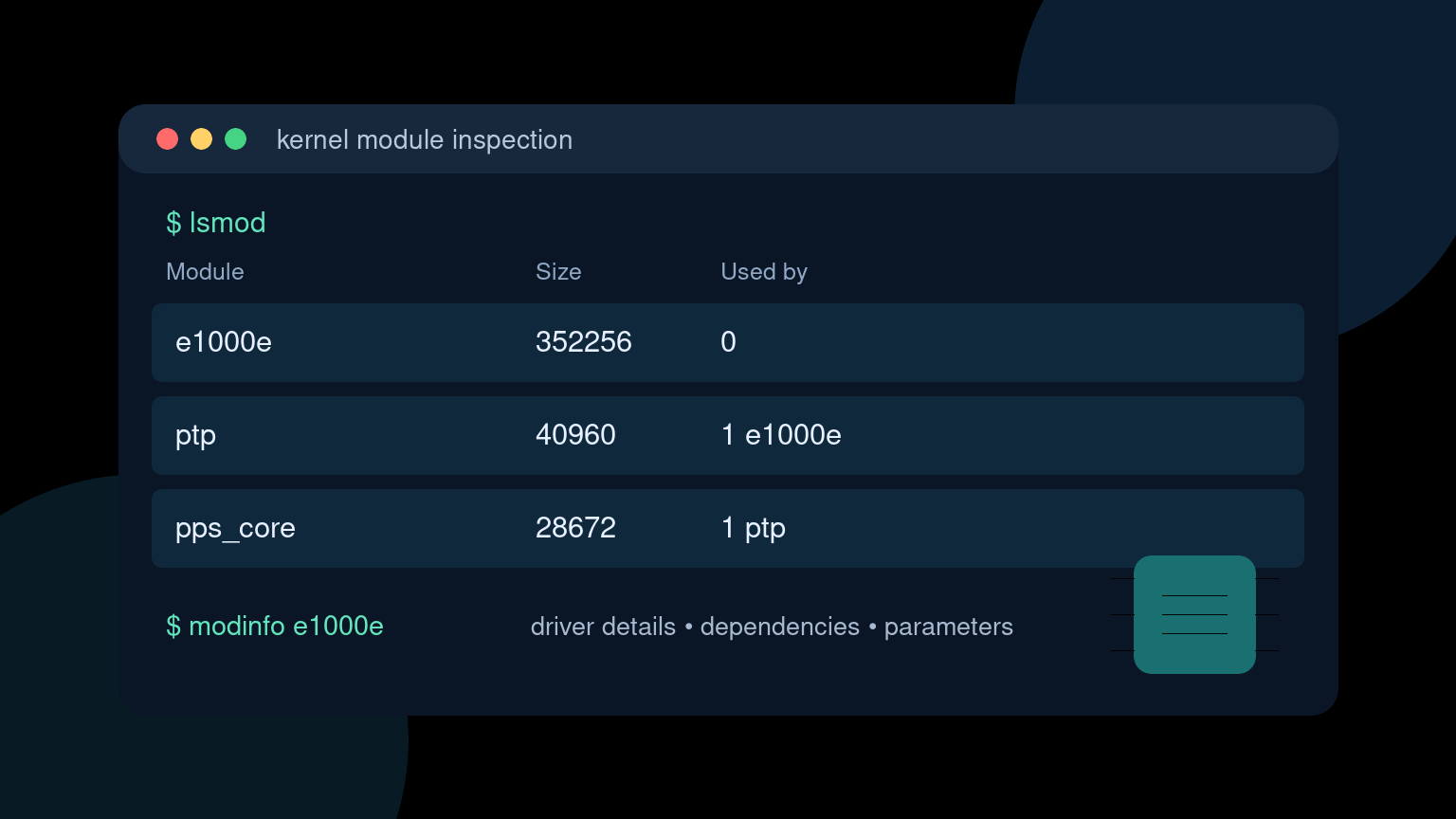
The Linux lsmod command lists kernel modules that are currently loaded. Kernel modules add features such as hardware drivers, filesystem support, and networking components without requiring a completely different kernel.
Start with:
lsmodThe command is read-only and normally does not require sudo. It is a useful first check when a Linux system sees hardware but the expected driver or feature does not seem to be working.
Quick lsmod command reference
| Goal | Command |
|---|---|
| List loaded kernel modules | lsmod |
| Search the list for a module | lsmod | grep -i e1000e |
| Read the kernel’s raw module list | cat /proc/modules |
| Show information about a module | modinfo e1000e |
| Show the driver behind a PCI device | lspci -k |
| Show recent kernel messages | journalctl -k -b |
| Preview a module load and dependencies | sudo modprobe -n -v e1000e |
Replace e1000e with the module relevant to your hardware or ticket. Do not load or remove modules just to see what happens. On a remote server, unloading the active network driver is a fast way to turn troubleshooting into a drive to the data center.
How to read lsmod output
A shortened result might look like this:
Module                  Size  Used by
e1000e                352256  0
ptp                     40960  1 e1000e
pps_core                28672  1 ptp
nf_conntrack           200704  2 nf_nat,xt_conntrack
The three columns mean:
Module: the kernel module name;Size: the module’s memory size in bytes, rounded and reported by the kernel;Used by: the reference count, followed by dependent modules when that information is available.
In this example, ptp depends on e1000e, and pps_core is used by ptp. The dependency chain matters before anyone considers removing a module.
A zero in Used by does not prove that removing the module is safe. The module may still manage hardware, provide a feature that will be needed moments later, or have references that are not represented as a simple dependent-module name.
Search for one loaded module
Large systems can load hundreds of modules. Filter the output with grep:
lsmod | grep -i e1000eFor a USB storage ticket, you might check several related names:
lsmod | grep -E 'usb_storage|uas'No match means the name is not present in the loaded-module list. It does not prove Linux lacks support for the feature. Possible explanations include:
- the driver is compiled directly into the kernel instead of built as a module;
- the expected module has a different name;
- the hardware was not detected or bound to that driver;
- the feature is intentionally disabled;
- you are inside a container and seeing the host kernel through a restricted view.
Treat lsmod as one piece of evidence, not the entire diagnosis.
lsmod and /proc/modules
lsmod formats information from /proc/modules. You can inspect the source directly:
cat /proc/modulesA raw line contains more fields than the normal table, including module state and memory address information. For routine helpdesk work, lsmod is easier to scan. /proc/modules is useful when lsmod is unavailable in a minimal environment or when a script needs the kernel-provided data.
Both views report loadable modules. Drivers compiled into the kernel do not appear there because they are not separate loaded module objects.
Inspect a module with modinfo
Once you have a likely module name, use modinfo:
modinfo e1000eDepending on the module and distribution, the output can include:
- filename under
/lib/modules/<kernel-version>/; - description, author, and license;
- supported device aliases;
- module dependencies;
- cryptographic signature details;
- configurable parameters.
To request one field, use -F:
modinfo -F filename e1000e
modinfo -F description e1000e
modinfo -F depends e1000e
modinfo can describe a module installed for the current kernel even when it is not loaded. That is an important difference: lsmod answers what is loaded now, while modinfo answers what this module is and how it was built.
If modinfo says a module is not found, confirm the running kernel first:
uname -rThen verify that the matching module tree exists:
ls /lib/modules/"$(uname -r)"A kernel update followed by an incomplete reboot or missing package can leave the running kernel and installed module files out of alignment.
Find which driver owns a PCI device
lsmod starts from module names. Hardware tickets often start from a device. Use lspci -k to connect the two:
lspci -kFor a focused network-device view:
lspci -nnk | grep -A3 -i 'network\|ethernet'Look for these lines:
Kernel driver in use: e1000e
Kernel modules: e1000e
Kernel driver in use identifies the driver currently bound to the device. Kernel modules lists modules capable of handling it. Those fields can differ, so do not report a module as active based only on the second line.
The lspci guide explains PCI addresses, hardware IDs, and driver binding in more detail. For USB devices, start with the lsusb guide.
A practical missing-network-adapter workflow
Suppose a Linux workstation lost wired networking after a reboot. The physical link lights are on, but no expected interface appears.
1. Confirm the PCI device exists
lspci -nnk | grep -A3 -i ethernetRecord the vendor/device ID, current driver, and candidate kernel module. If the adapter is absent from lspci, lsmod is not the first problem. Check firmware settings, hardware state, virtualization configuration, and kernel detection.
2. Check whether the named module is loaded
lsmod | grep -i e1000eUse the actual module name from the device output. A match confirms that the module object is loaded, but not that the interface is configured or healthy.
3. Inspect the module details
modinfo e1000eCheck that a module file exists for the running kernel. Review aliases, dependencies, version fields, and parameters without changing anything.
4. Read kernel messages
journalctl -k -b | grep -iE 'e1000e|ethernet|firmware|pci'If persistent journal access is unavailable, use:
dmesg | grep -iE 'e1000e|ethernet|firmware|pci'Look for firmware failures, probe errors, device resets, signature or verification failures, and successful driver attachment. The dmesg guide covers kernel hardware messages and permission limitations.
5. Check the interface layer
ip -br linkA loaded driver is only one layer. The interface could exist but be down, renamed, blocked by policy, or managed incorrectly by NetworkManager or systemd-networkd.
6. Write an evidence-based ticket note
A useful update might say:
Intel Ethernet controller
8086:15f3appears inlspci. Kernel drivere1000eis bound and listed bylsmod. Kernel log shows repeated firmware reset errors after boot. Interfaceenp2s0exists but remains down. Escalating with PCI ID, module version, kernel version, and relevant boot-log lines attached.
That is more useful than “driver looks fine.” It says which layers passed and where the evidence begins to fail.
Preview modprobe without changing the system
modprobe loads a module and handles its dependencies. Before doing that, preview the operation:
sudo modprobe -n -v e1000eThe -n option performs a dry run, while -v shows what would be done. This can reveal dependency loads, install rules, or configuration behavior without inserting the module.
Even the preview should use the correct module name and an approved troubleshooting plan. If an actual load is needed, follow your change process and capture kernel logs immediately afterward. A module can affect hardware, security controls, storage, networking, and system stability.
Why a module may not load
Common causes include:
It is already built into the kernel
There may be no separate module to load. Check the distribution’s kernel configuration when available:
zgrep CONFIG_E1000E /proc/config.gzSome systems expose the config at /boot/config-$(uname -r) instead. A value ending in =y means built in; =m means built as a module.
The module files do not match the running kernel
Compare uname -r with /lib/modules/. Missing matching files often point to an incomplete kernel-package install or a reboot that has not happened yet.
Secure Boot or signature policy rejected it
Kernel logs may report signature, key, or verification errors. Do not disable Secure Boot as a reflex. Identify whether the module is trusted and supported first.
Required firmware is missing
The module may load but fail to initialize the device because a firmware file is absent. Kernel messages usually name the missing file.
The module is blacklisted
Configuration under /etc/modprobe.d/ can prevent automatic loading. Review the relevant files and the reason for the policy before changing them.
You are inside a container
Containers share the host kernel. A container may show host modules but lack permission to load, remove, or fully inspect them. Kernel-module changes belong on the host and should follow host-level change control.
Common beginner mistakes
Assuming loaded means working
lsmod proves that a module is loaded, not that every device initialized, every interface is up, or every feature is configured. Pair it with hardware inventory, kernel logs, and subsystem-specific commands.
Guessing the module name from the product name
A network card’s marketing name may not resemble its Linux module. Use PCI or USB IDs and the kernel’s driver-binding information.
Using rmmod during a remote session
Removing a storage, network, filesystem, or security-related module can interrupt the machine immediately. Avoid module removal unless the impact, dependencies, recovery path, and maintenance window are understood.
Ignoring dependencies
Modules can depend on other modules. lsmod, modinfo, and a modprobe -n -v preview help reveal relationships, but they do not replace a safe change plan.
Treating every module as suspicious
A long list is normal. Drivers and kernel features often load automatically based on hardware and system configuration. Investigate unexpected names with package provenance, module metadata, signatures, configuration, and logs instead of deleting files.
Practice the investigation, not risky module changes
The job-ready skill is building a clean evidence chain: identify the hardware, find its bound driver, confirm the module state, inspect metadata, read kernel messages, and document the failing layer. You can learn that workflow without unloading a production driver.
Practice Linux troubleshooting commands in Shell Samurai. It gives you a safe terminal environment to get comfortable with the inspection steps before a real hardware ticket is waiting.
FAQ
What does lsmod do in Linux?
lsmod lists kernel modules currently loaded into the running Linux kernel. It shows each module’s name, size, reference count, and available dependent-module names.
Does lsmod require sudo?
No. Listing modules with lsmod normally works without sudo. Loading or removing modules generally requires elevated privileges and can affect system stability.
Why is a driver missing from lsmod?
It may be compiled directly into the kernel, use a different module name, not be loaded, or be hidden by container or platform limitations. Check hardware binding and kernel logs before concluding the driver is missing.
What is the difference between lsmod and modinfo?
lsmod shows which modules are loaded now. modinfo displays metadata about a module available for the current kernel, whether or not that module is loaded.
How do I find the kernel module for a device?
For PCI devices, run lspci -k and check Kernel driver in use and Kernel modules. For USB devices, identify the device with lsusb, then inspect kernel messages and driver links under sysfs.
Practice This in a Real Terminal
Shell Samurai gives you safe Linux missions so the commands actually stick. Chapter 1 is free; the full practice path is a one-time purchase, not another subscription.